Install
One macOS installer covers everything. A single .pkg puts all three
plugin formats — AU, VST3 and CLAP — on both Apple Silicon and Intel
Macs.
| Formats | AU · VST3 · CLAP |
| Architecture | Universal (arm64 + x86_64) |
| Requires | macOS 13.4 or later |
Download the installer
Your download link arrives by email after purchase. It contains
Contour-<version>-macos-universal.pkgand a README.Run the package
Double-click the
.pkgand follow the prompts. It is signed and notarized with Apple, so macOS will not stop you or ask you to override a security warning.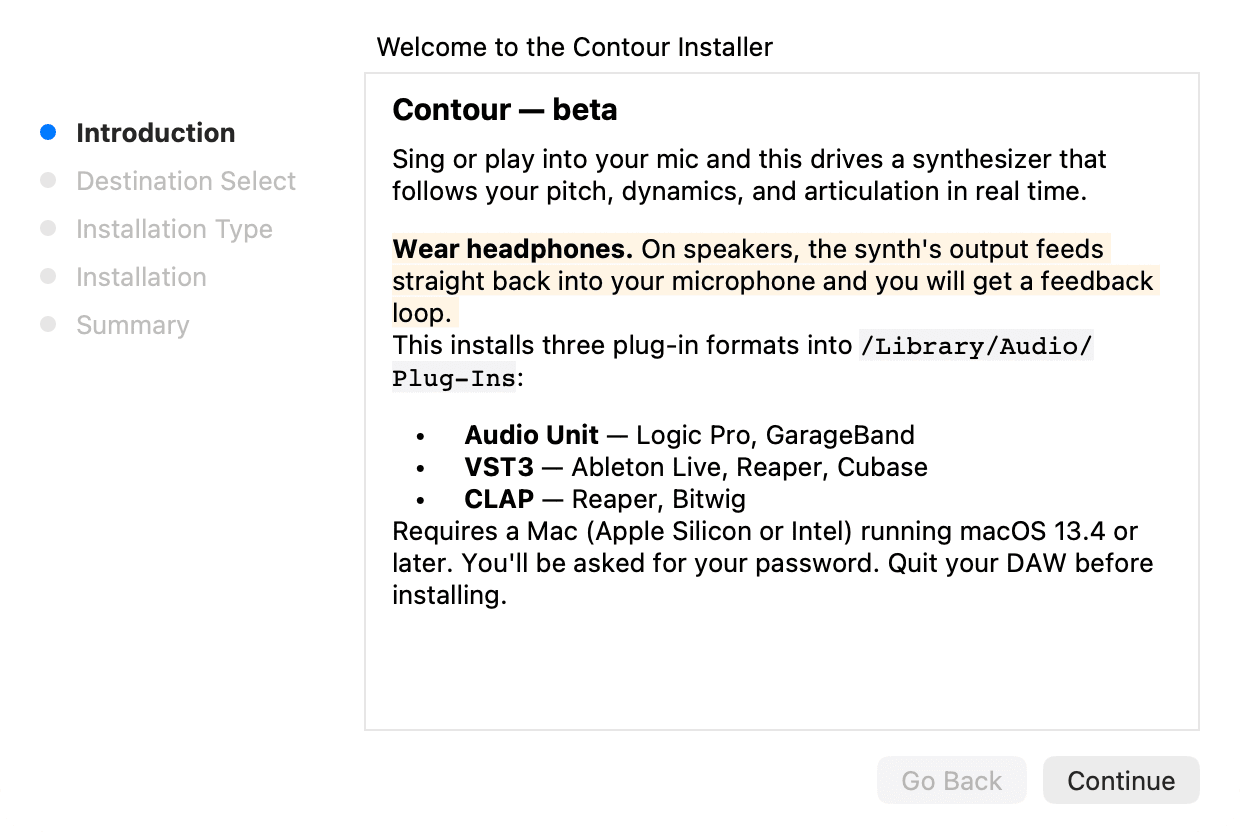
The installer Rescan plugins in your DAW
Start your DAW. Most hosts pick up new plugins on launch. If Contour does not appear, trigger a plugin rescan in your DAW's preferences.
Load Contour on an audio track
Contour is an audio effect, not an instrument. It listens to whatever the track is receiving, so insert it on the track carrying your microphone or instrument.
Next: set up your audio device.